Inside MZForgeEvery screen, as it really is.
Explore the actual MZForge interface. Choose a tab to see each part of the app; examples are labeled.
Look inside
Every screen, as it really is.
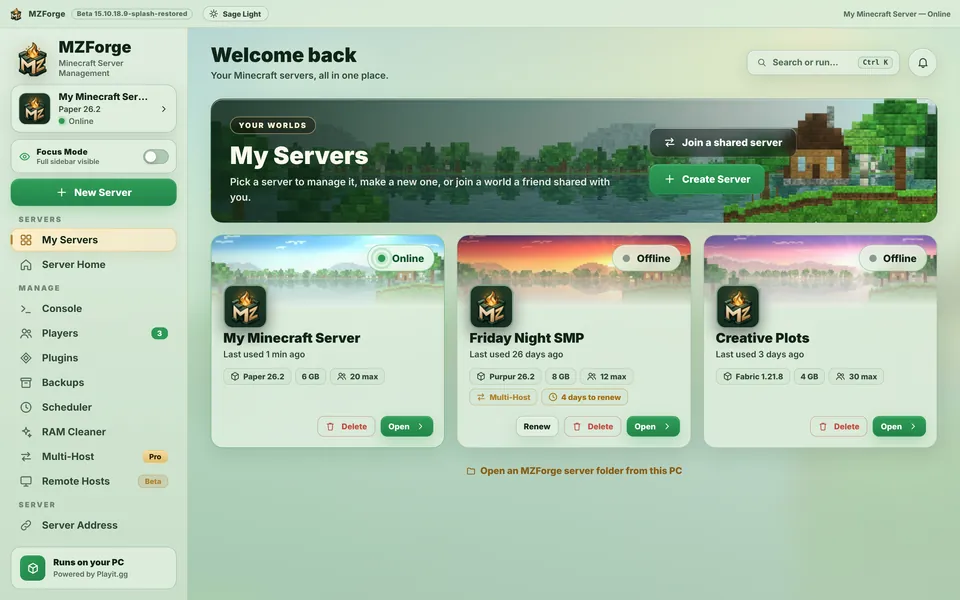 All your worlds in one place. Each card shows the software, version, memory and whether it's online.
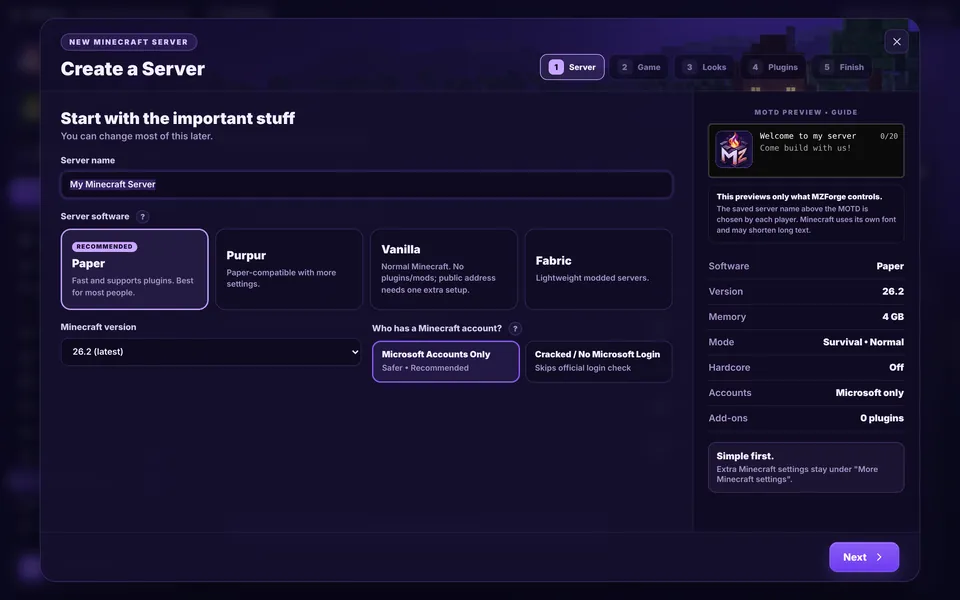 Five short steps. Name, software, version, game settings, then optional plugins. Paper is recommended for most people.
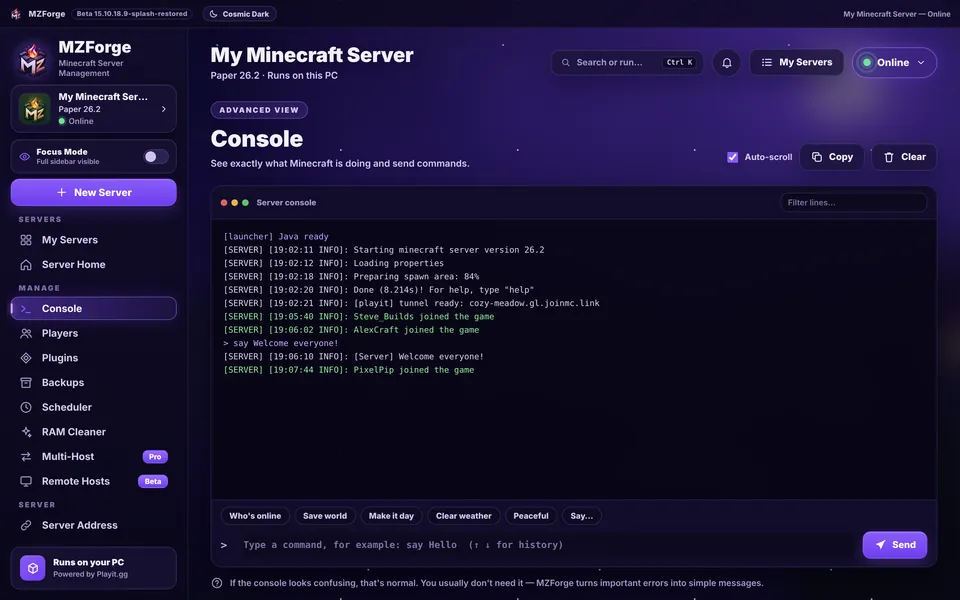 A console you don't have to fear. Quick buttons for common commands, and MZForge turns important errors into plain messages.
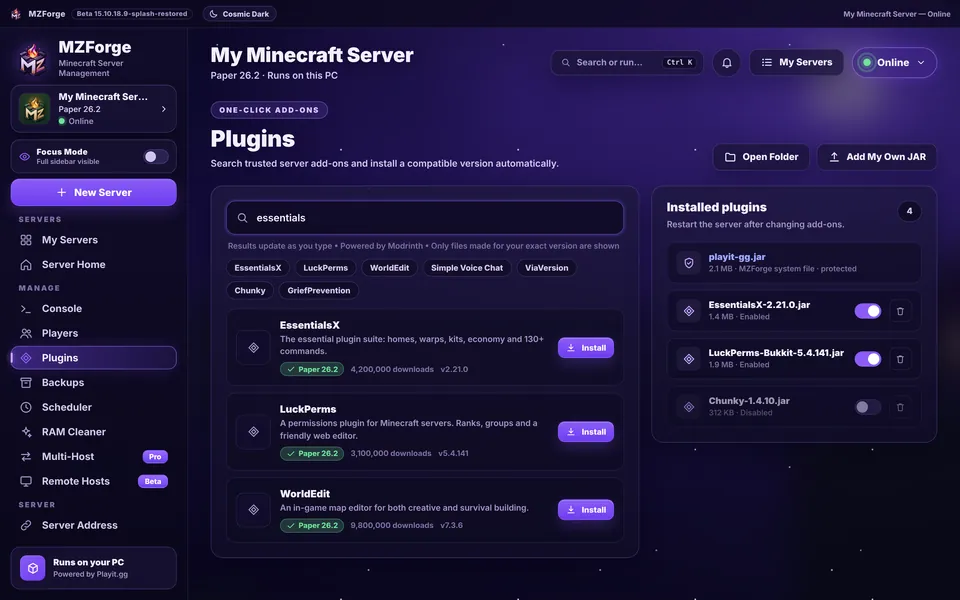 Plugins and mods from Modrinth. Search results only show files made for your exact version. Download counts shown are example data.
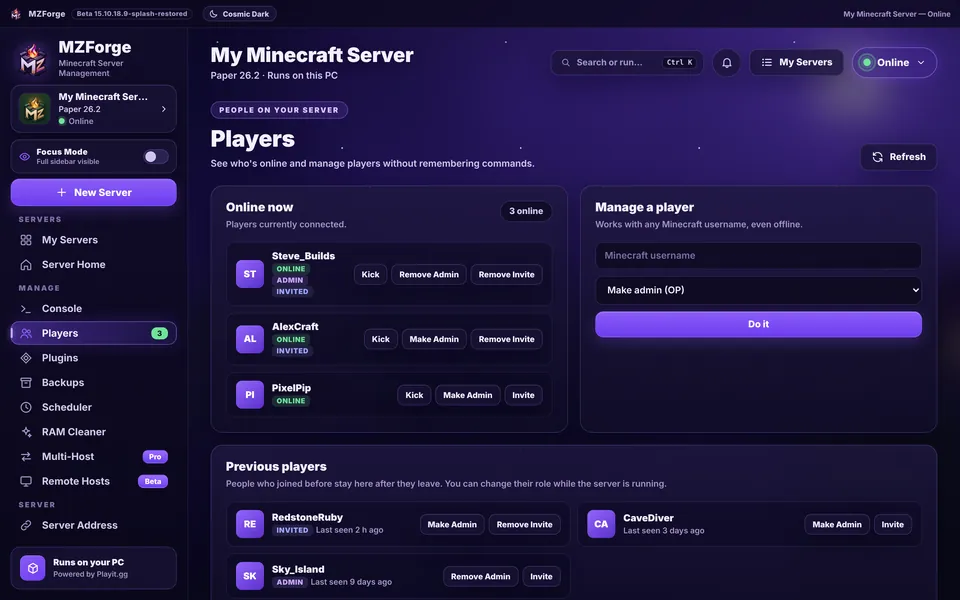 Players without commands. See who's online, make admins, kick or invite — even when they're offline.
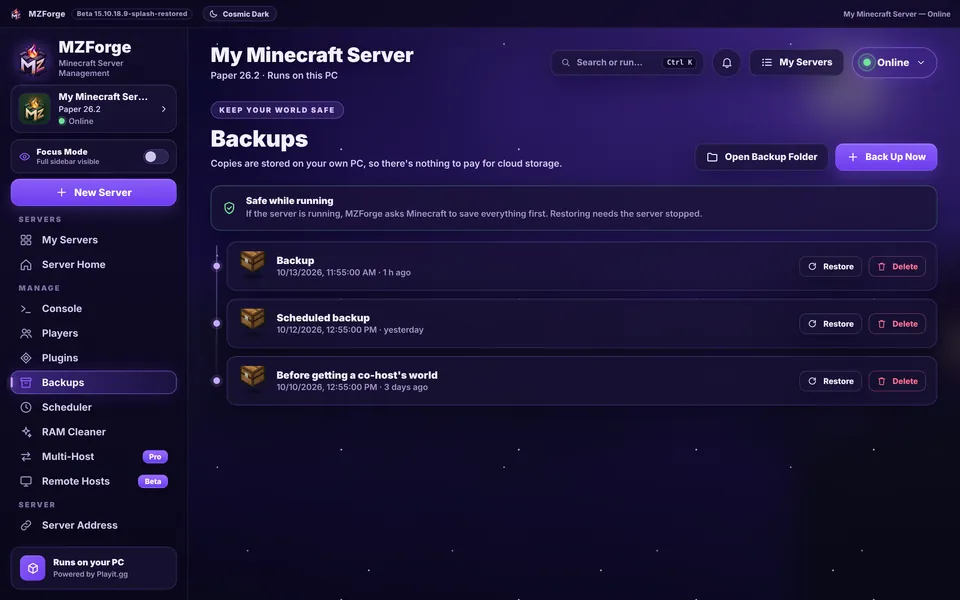 Backups stay on your PC. Back up while the server runs; restoring asks you to stop it first.
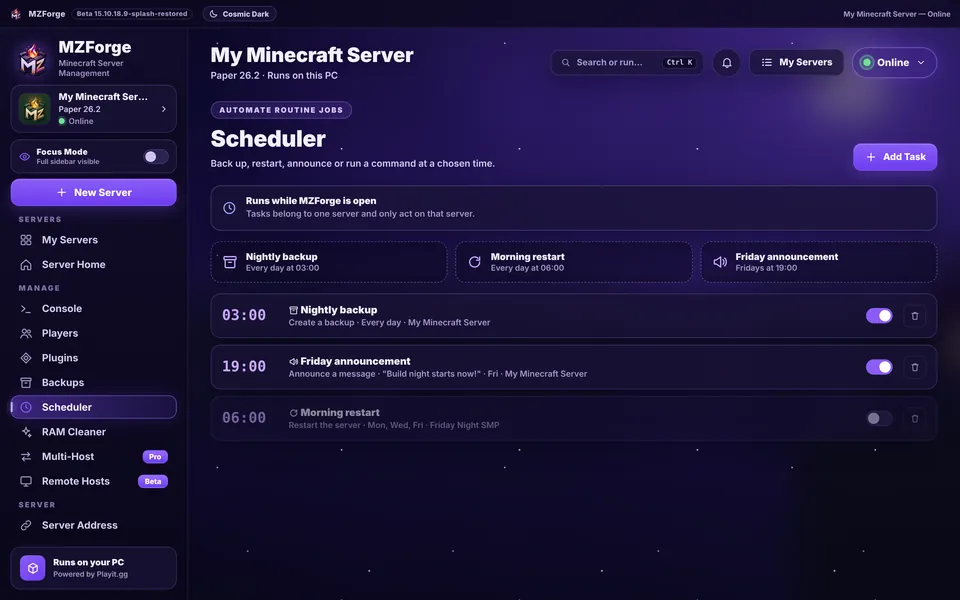 Routine jobs on a timer. Back up, restart, announce or run a command. Tasks run while MZForge is open.
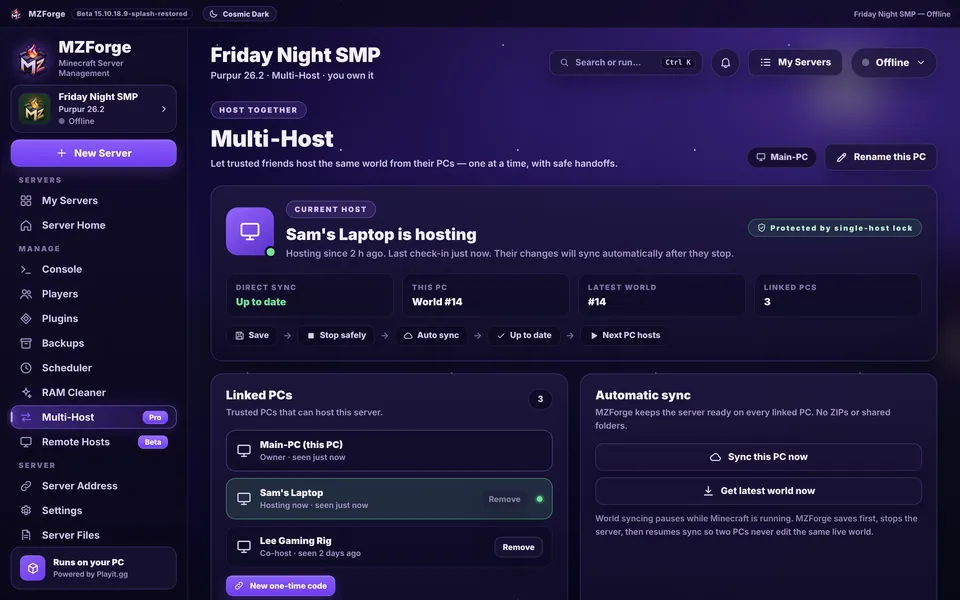 Take turns hosting. Linked PCs share one world, one host at a time.
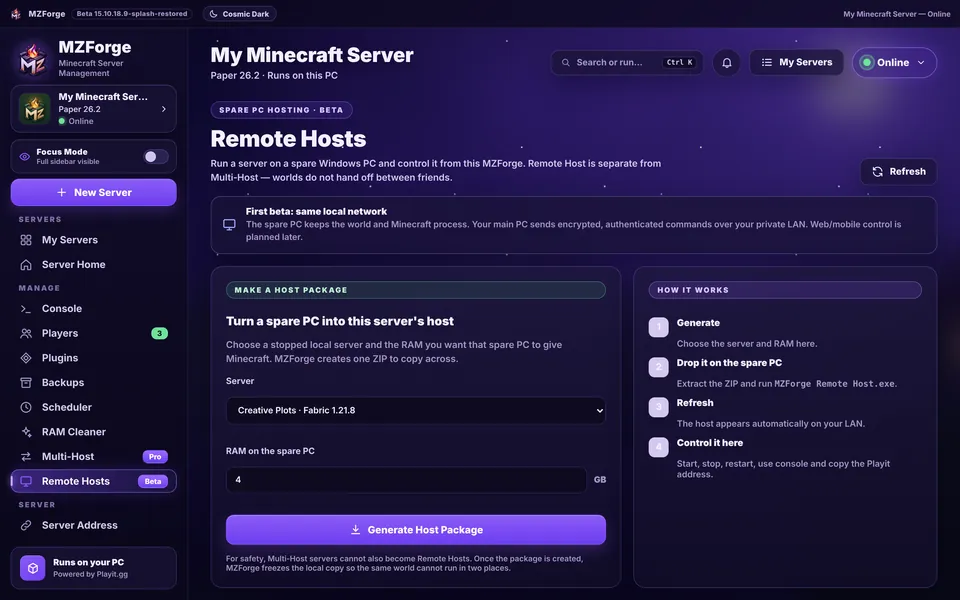 Remote Host beta. Make a Host Package for a spare Windows PC on your local network.
Screens from MZForge Beta 15.10.18.9 in Cosmic Dark (My Servers follows your Light/Dark choice). Names, addresses and numbers are example data.


