MZForge Academy
Your first Minecraft server, made simple.
Short visual lessons with Next and Previous buttons. Each tutorial uses the steps found in MZForge.
01 · NEW WORLD
Create a server
Name your server, choose Paper, pick RAM and finish the setup wizard.
Start lesson →02 · GO LIVEStart your server
Start Minecraft, understand Online status and stop without losing progress.
Start lesson →03 · INVITE FRIENDSConnect through Playit
Complete one-time Playit sign-in, copy the public address and invite friends.
Start lesson →Already using MZForge?
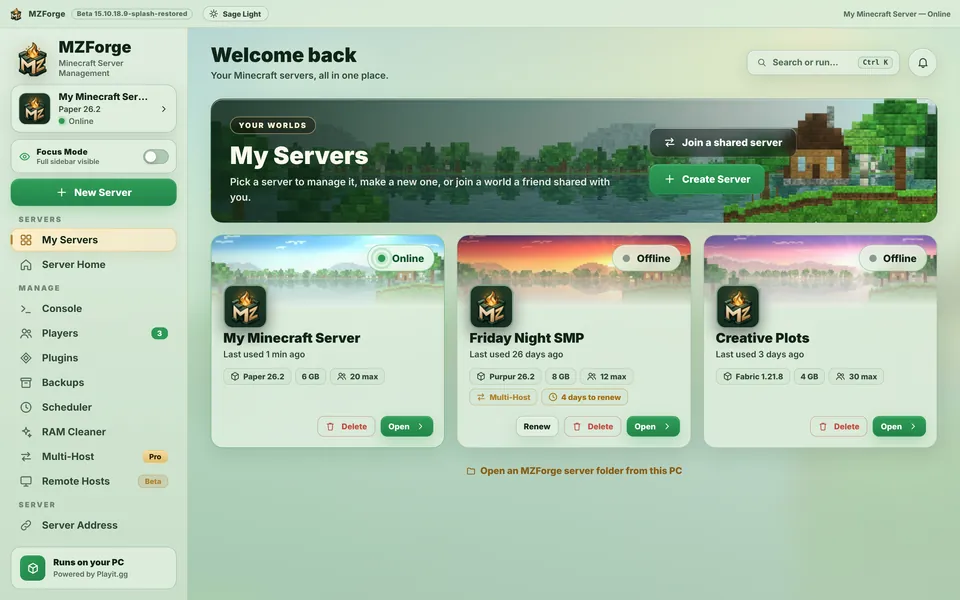
Explore the actual interface.
Browse server controls, consoles, backups and more from real screen captures.
Explore app screens →